Volitans Software

Volitans Software is Joining the SOPA and PIPA Protests

Volitans Software is joining the internet community’s protest of SOPA and PIPA. While we respect copyrights and intellectual property, these two bills will not protect them. Instead they will damage the internet. They are bad bills, and they need to be stopped. There are much better ways to protect copyrights.

Learn more at Wikipedia and Ars Technica.

Get SMART Utility in TheMacBundles

SMART Utility is now available in TheMacBundles! Get 10 apps for just $39.95. The great thing about this bundle is you can choose which apps you want, so you don’t have to get all the apps you don’t want.

SMART Utility 3.0.2 is Out!

SMART Utility 3.0.2 has been released, which brings full support for Lion. There are also a few new features as well as bug enhancements. SSD support is more mature in this release is well.

Note that this will be the final version that will support 10.4.

Download for 10.5 (Leopard), 10.6 (Snow Leopard), and 10.7 (Lion).

Download for 10.4 (Tiger) here.

Here’s the full release notes:

  • Added text next to drive to show state (passed, failing, failed, unsupported)
  • Added ability to resize main window
  • Added more attribute names for SSDs
  • Removed deprecated API calls and replaced with modern ones
  • Updated French localization
  • Updated menu extra code for 10.7 support
  • Updated smartctl engine to 5.41, which adds better support for SSDs as well as bug fixes

SMART Utility and Lion

I am happy to report that SMART Utility is for the most part compatible with Lion. All functions seem to work, except the menu extra. That was to be expected, as the way it was implemented breaks with every OS version. However, thanks to work of bjango (makers of the excellent iStat Menus, which I use) to make MenuCracker Lion-compatible,  SMART Utility and its menu extra will be fully compatible with Lion.

Version 3.0.2 will use the new MenuCracker, and that should be due out before Lion is released. On the horizon after that, is version 3.1, which will bring more user-requested features, such as email notification. That version will be out in a few months.

Now Serving Amazon S3 and CloudFront

At some point, and I am not sure when, the bandwidth from my hosting provider has gone down the tubes. Downloads are now seeing speeds of 150KBps, which is entirely unacceptable. I’ve tried contacting them, but they didn’t seem to understand my problem.

So that gave me an opportunity to explore content delivery networks (CDNs). My first thought was Amazon S3, since A) I’ve heard people talking about it and B) I love Amazon, and I buy so much from them (especially Amazon Prime). I took a look at their offerings, and found they also offer CloudFront.

I was confused at the difference between S3 and CloudFront, and after a little investigation, it became clear. S3 is great for hosting files, but there is a speed hit depending where in the US, and where in the world a user id downloading files. That’s where CloudFront comes it. Amazon has servers in specific areas that can speed up access times, especially for customers in other countries. Since 30% of my customers are foreign, that was a great solution for me. And since CloudFront requires and uses S3, I could switch back and forth at any time.

I did investigate some other alternatives, such as CacheFly and Limelight- but they didn’t meet the price and ease of use of Amazon’s services, especially for a small company like mine.

So I’ve switched all downloads over to S3 on both the website, and the updater in SMART Utility. I’m now seeing speeds of 1MBps and more, which is great. In the next day or so, I’ll switch over to CloudFront. There may be some hiccups as the DNS propagates, but in the end it will be worth it. The icing on the cake was just how easy it was to switch.

If you want more information, just go to Amazon’s AWS page here.

SMART Utility 3.0.1 is Out!

This is mainly a bug fix release, and all users are recommended to upgrade. The best way to update is to launch the app, choose the SMART Utility menu, then choose Check for Updates. Once it finds the update, click on Install. Download links are still provided below.

Download for 10.5 (Leopard) and 10.6 (Snow Leopard).

Download for 10.4 (Tiger) here.

Here’s the full release notes:

  • Fixed a serious bug that would cause a crash when rescanning drives
  • Fixed a bug that occurs when launching from the command line
  • Fixed a bug that caused inaccurate drive capacity display
  • Fixed a bug that caused the menu extra icon to not be masked when clicked on
  • Fixed a bug that caused the menu extra to show unsupported drives
  • Fixed a bug that cause the menu extra to pass the wrong icon to Growl for failing and failed drives
  • Updated Growl framework to 1.2.2, which fixes some bugs


Wanted: Beta Testers

As development of SMART Utility 3.0 is waning down, I would like to test this release a bit more. The biggest addition is the new menu icon, and that needs to most testing. So I am looking for a few good beta testers. The only requirement is that you must have purchased SMART Utility (the license type doesn’t matter). There is no incentive other than getting some pre-release software.

If you are interested, send an email to [email protected].

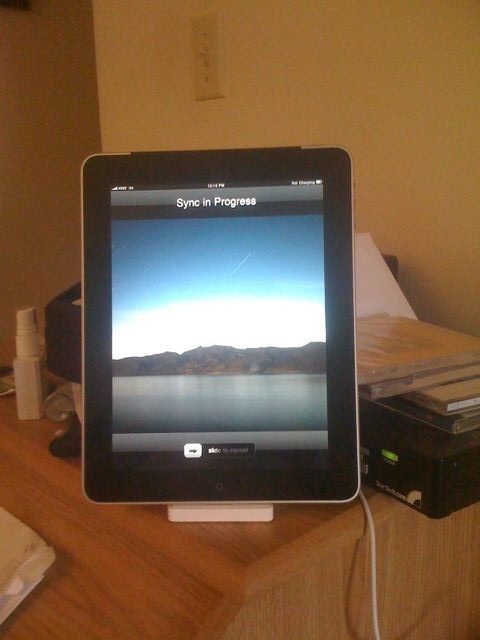
iPad

Its here. And I love it. I’ll have a more detailed review later. But for now I’ll have say I’ll have some interesting ideas for apps.